Documentation
Everything you need to get started with RestoreProof
Runner Installation
Docker
docker run -d \
  --name restoreproof-runner \
  --restart unless-stopped \
  -v /var/run/docker.sock:/var/run/docker.sock \
  -v restoreproof-work:/var/lib/restoreproof \
  -e RESTOREPROOF_API_KEY="<your-api-key>" \
  -e RESTOREPROOF_URL="https://grpc.restoreproof.io:443" \
  -e RESTOREPROOF_RUNNER_NAME="my-runner" \
  ghcr.io/kolapsis/restoreproof/runner:latest
Kubernetes
The Helm chart installs the runner and its access to the Docker daemon. The deployment wizard writes the full command for you, API key included.
kubectl create namespace restoreproof

kubectl create secret generic restoreproof-runner-credentials \
  --namespace restoreproof \
  --from-literal=api-key='<your-api-key>'

helm install restoreproof-runner \
  oci://ghcr.io/kolapsis/restoreproof/charts/restoreproof-runner \
  --namespace restoreproof \
  --set controlPlane.url=https://grpc.restoreproof.io:443 \
  --set runner.name=my-runner \
  --set secrets.apiKeySecretName=restoreproof-runner-credentials
Binary Coming soon
Linux binary in the works.
Interested? Write to us: hello@restoreproof.io
Configuration
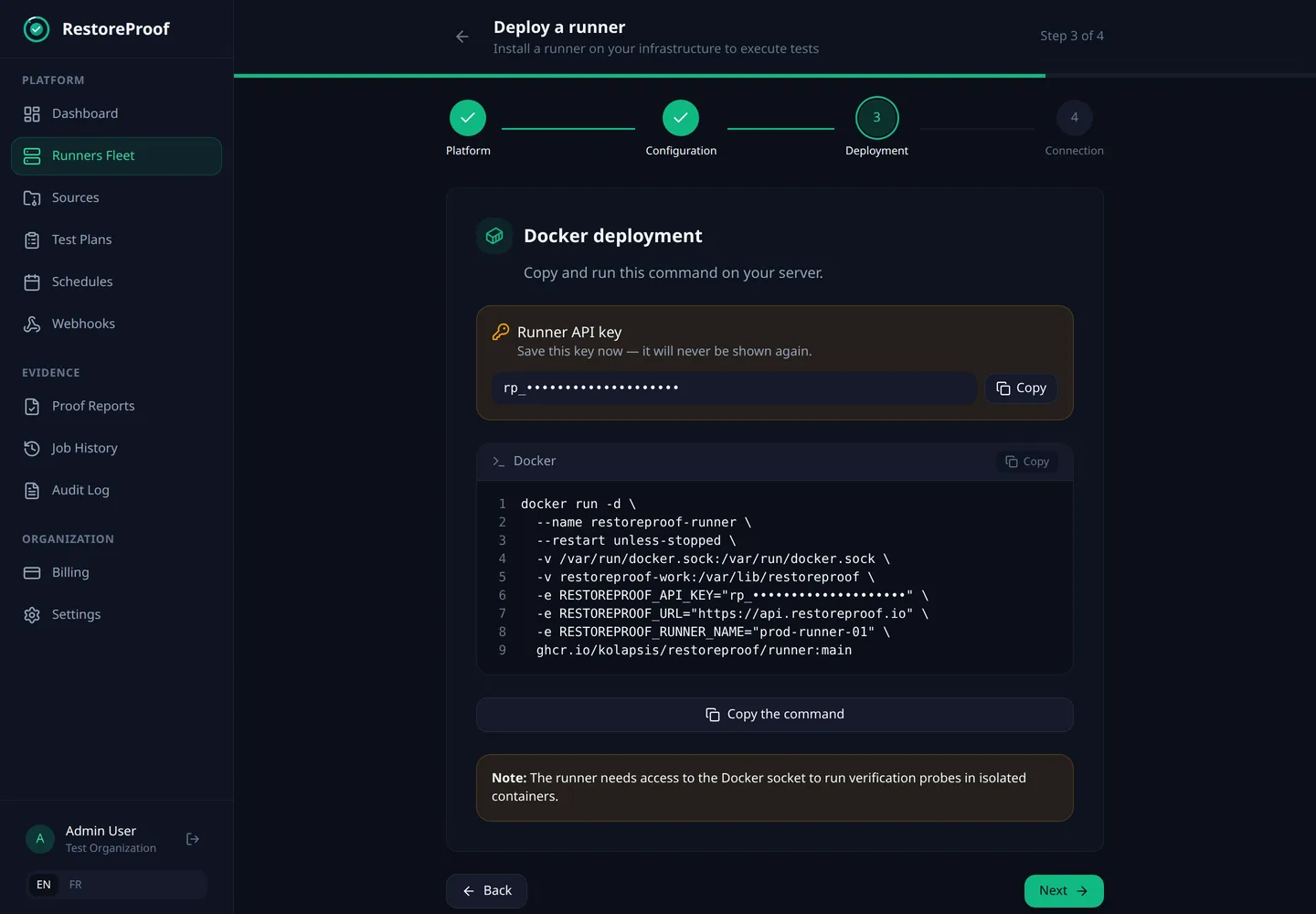
The app writes the runner configuration for you and hands you the command to paste, key included.
app.restoreproof.io
Example Restore Plan
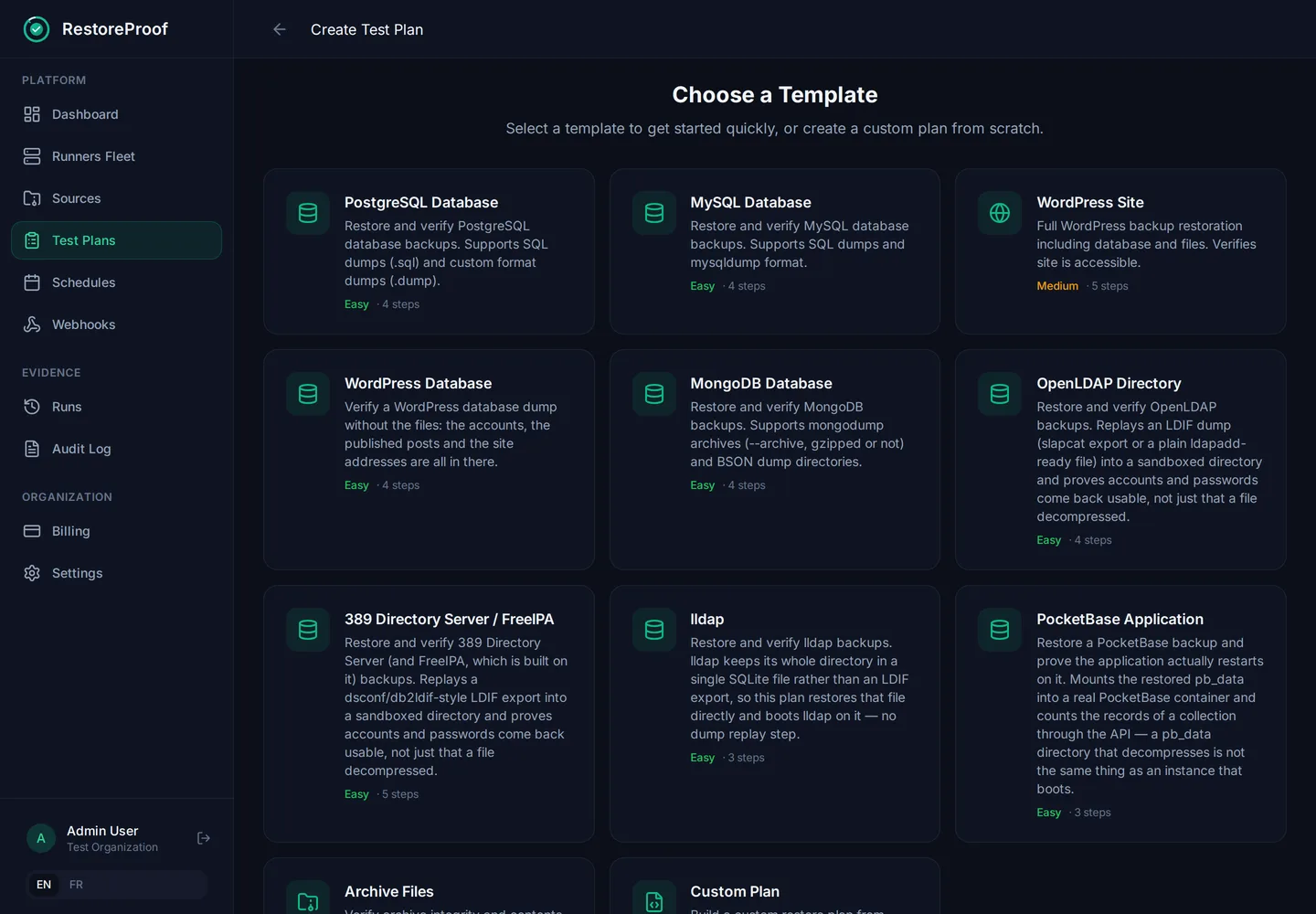
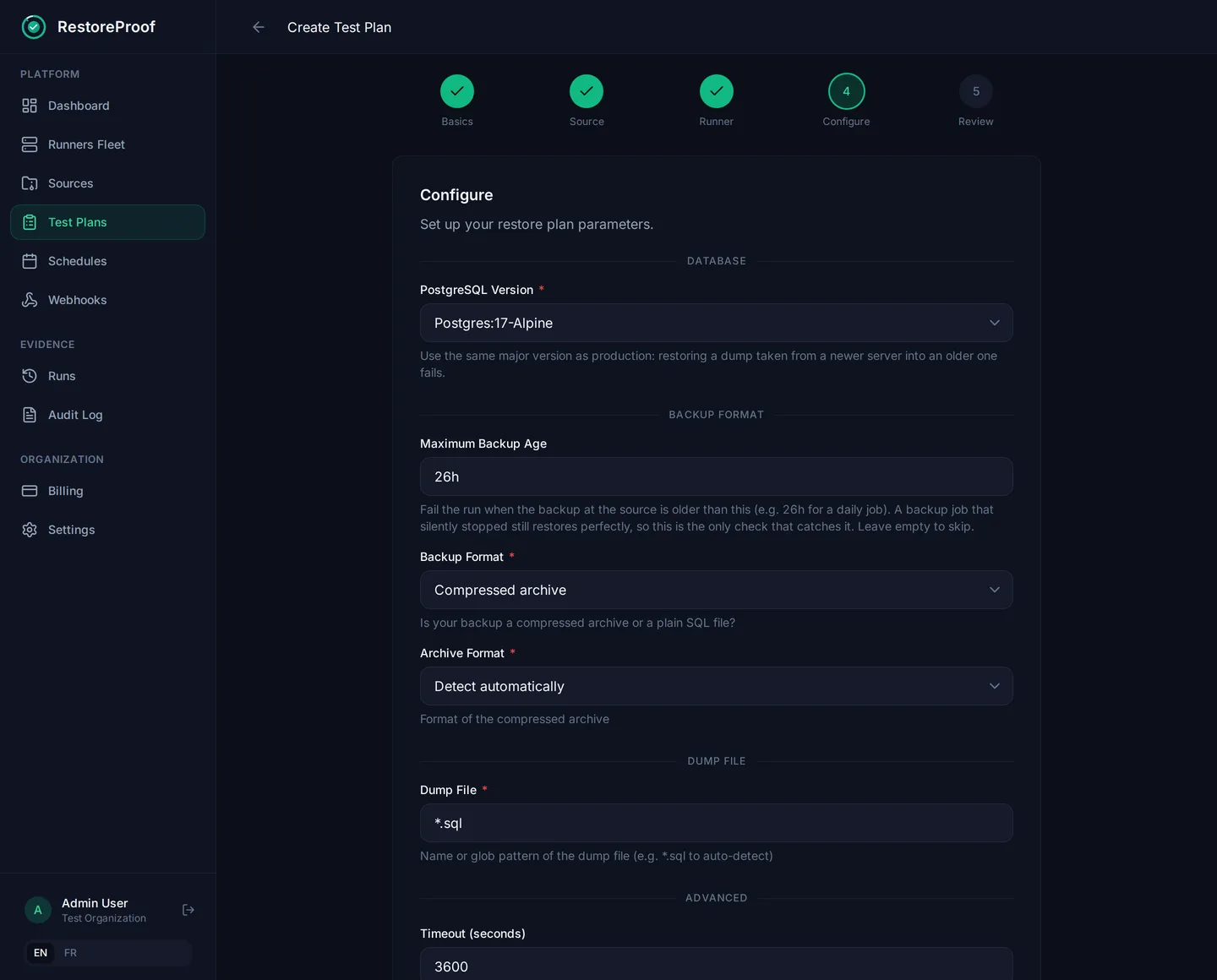
A plan is built in the app: pick a template, then fill in the version, the dump file and the probes that must pass.
app.restoreproof.io
app.restoreproof.io
Full documentation
This page is a summary. The complete guide — prerequisites, secrets, restore engine, probes, troubleshooting — lives at docs.restoreproof.io.