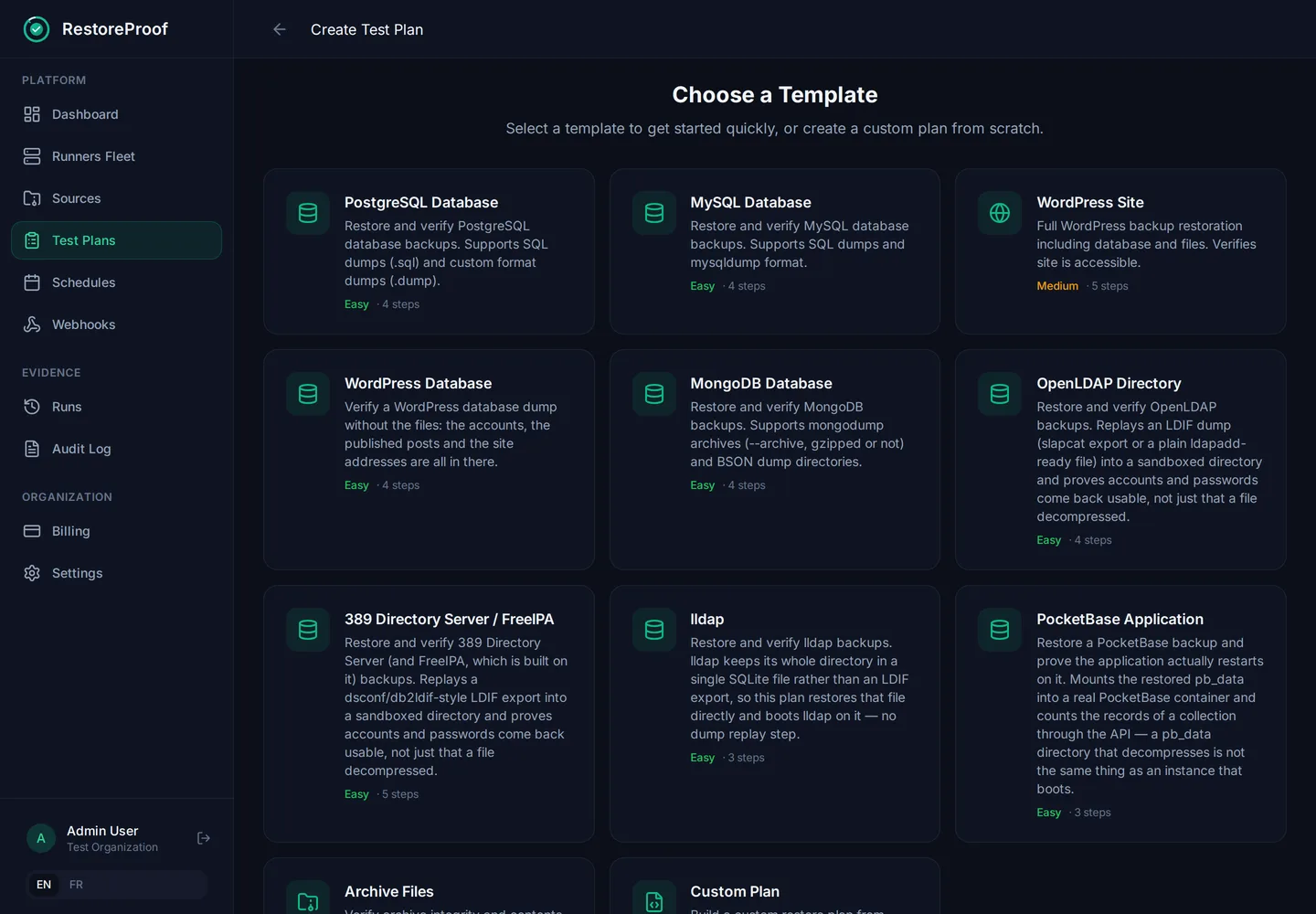
Starts right after your backup
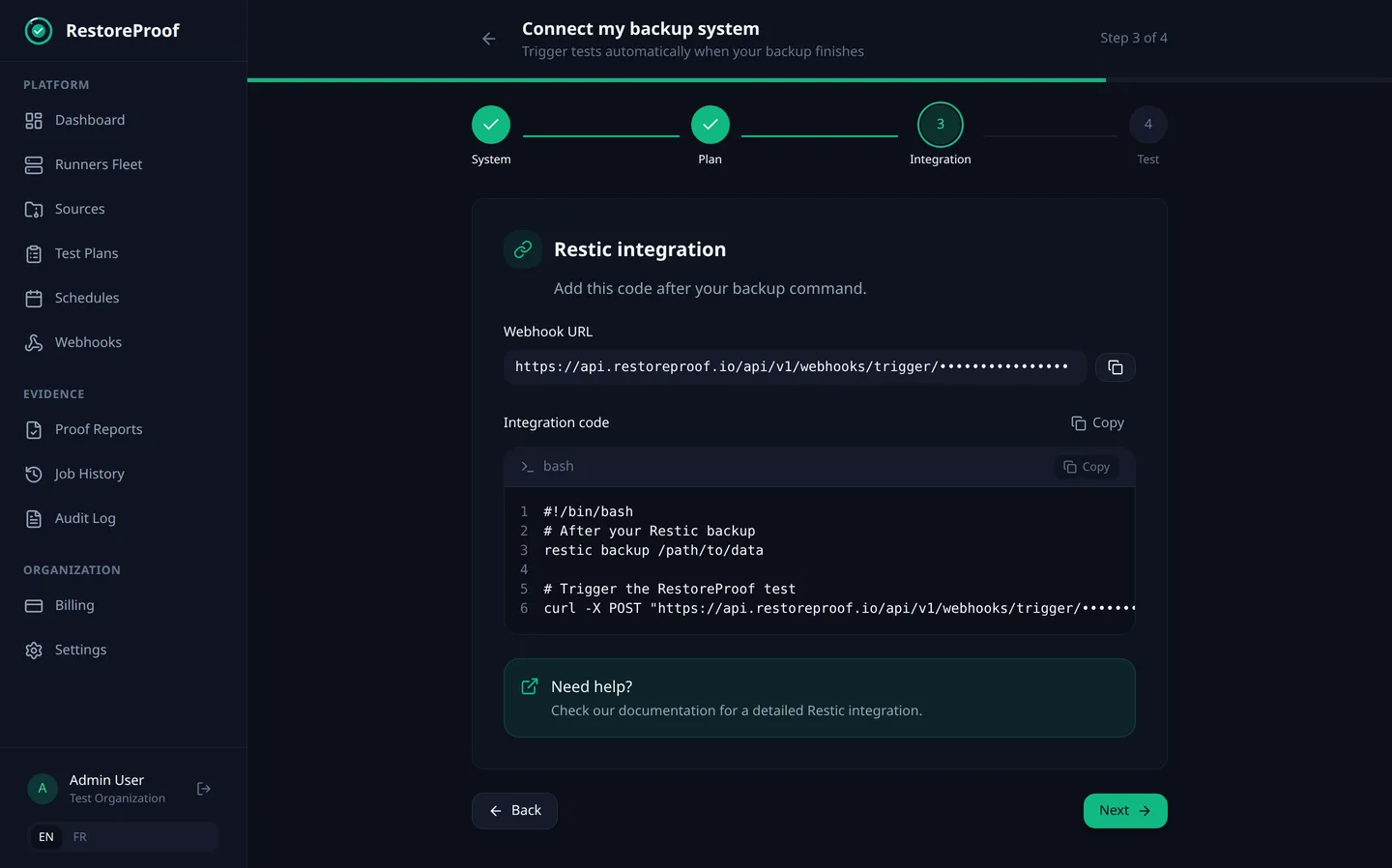
Restic, Borg, Veeam, Duplicati, rclone or your own script: paste the snippet after your backup command and the test runs as soon as the backup is written.
app.restoreproof.io
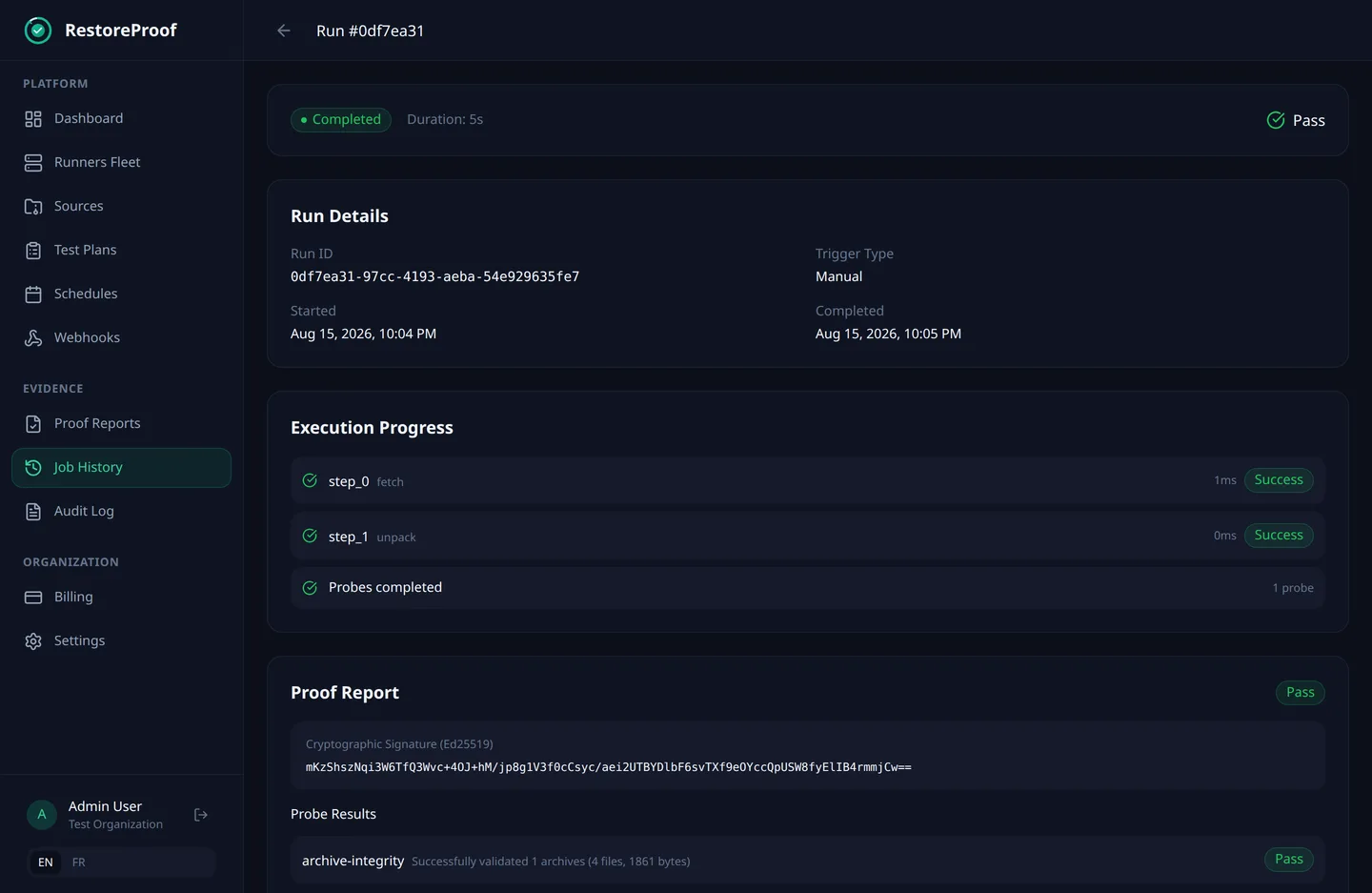
RestoreProof restores your backups in a throwaway sandbox on your own servers, checks that the data is all there, and signs a report you can hand to an auditor. Automatically, on the schedule you choose.
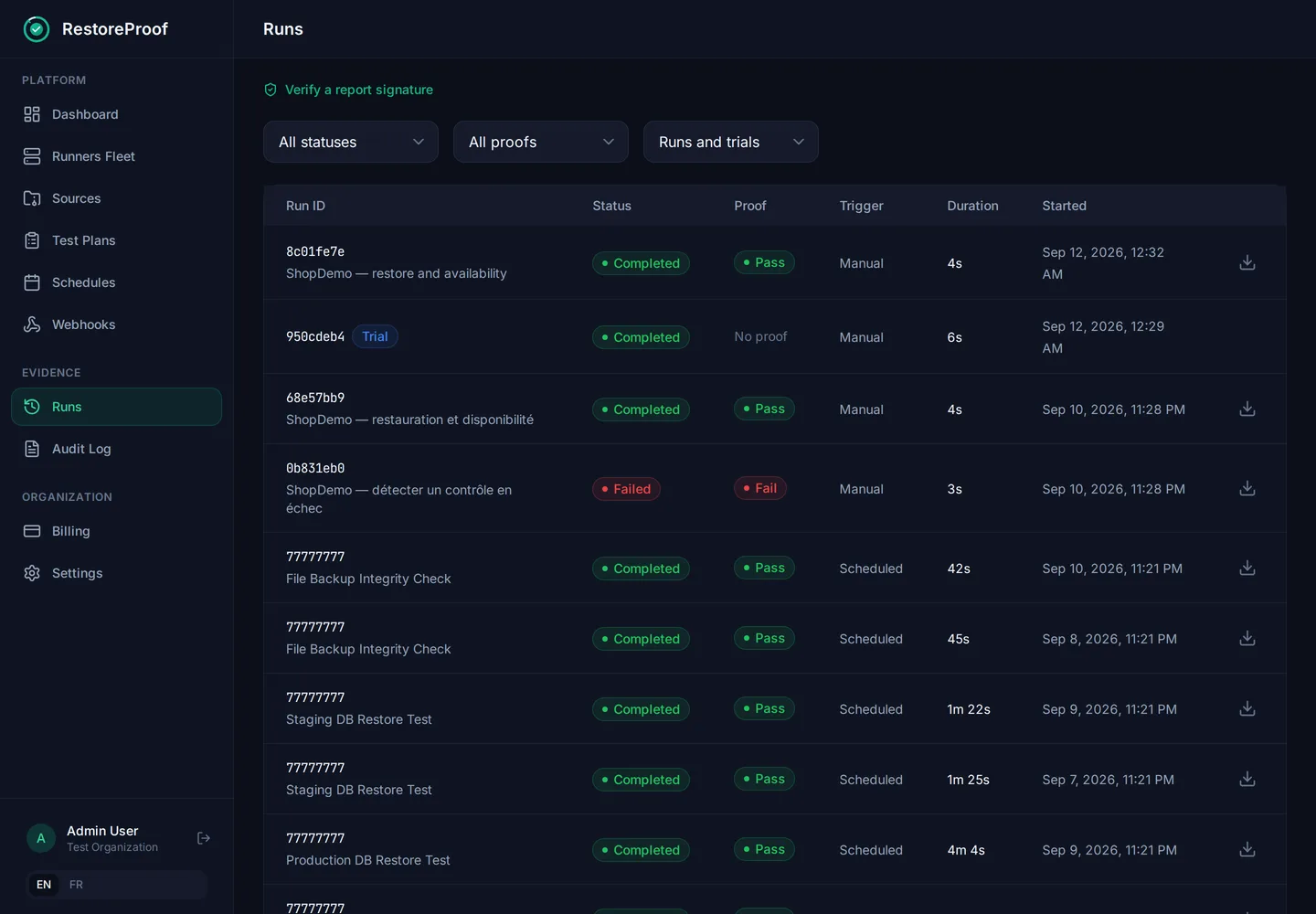
Run #8c01fe7e
shop-db, nightly restore test
Proof report: Pass
DownloadEd25519 signature
salY1bqvZMMewcyTUBUwPQE18t7oC2ixh2/WYmimQJSpq8puYzAq4r8cehgPRnM5wkugs4rWstDjbKeoO4NTCw==
Your backup tool tells you the copy was written. It can't tell you whether that copy restores. In Backblaze's State of the Backup 2024 survey, only 61% of restore attempts gave the expected result. Most teams find out on the day they need the data.
Job completed successfully
Run failed. You get an e-mail the same night.
None of these raise an alert in your backup tool. A real restore catches every one of them.
Why a successful backup proves nothingThe dump is truncated
The file is there, but the restore stops halfway through.
A folder went missing
A config change six months ago excluded a critical directory. Nobody noticed.
It depends on the old server
The dump needs a role or an extension that only exists on the source server.
Nothing can read it
The storage key was rotated: the job still writes, but the backups can no longer be read.
The key is gone
The backup is encrypted, and nobody has the key any more.
The job quietly stopped
The last backup is three weeks old. It restores fine, but the data is stale.
No agent to write, no test environment to keep alive. The app guides you through each step and writes the commands for you.
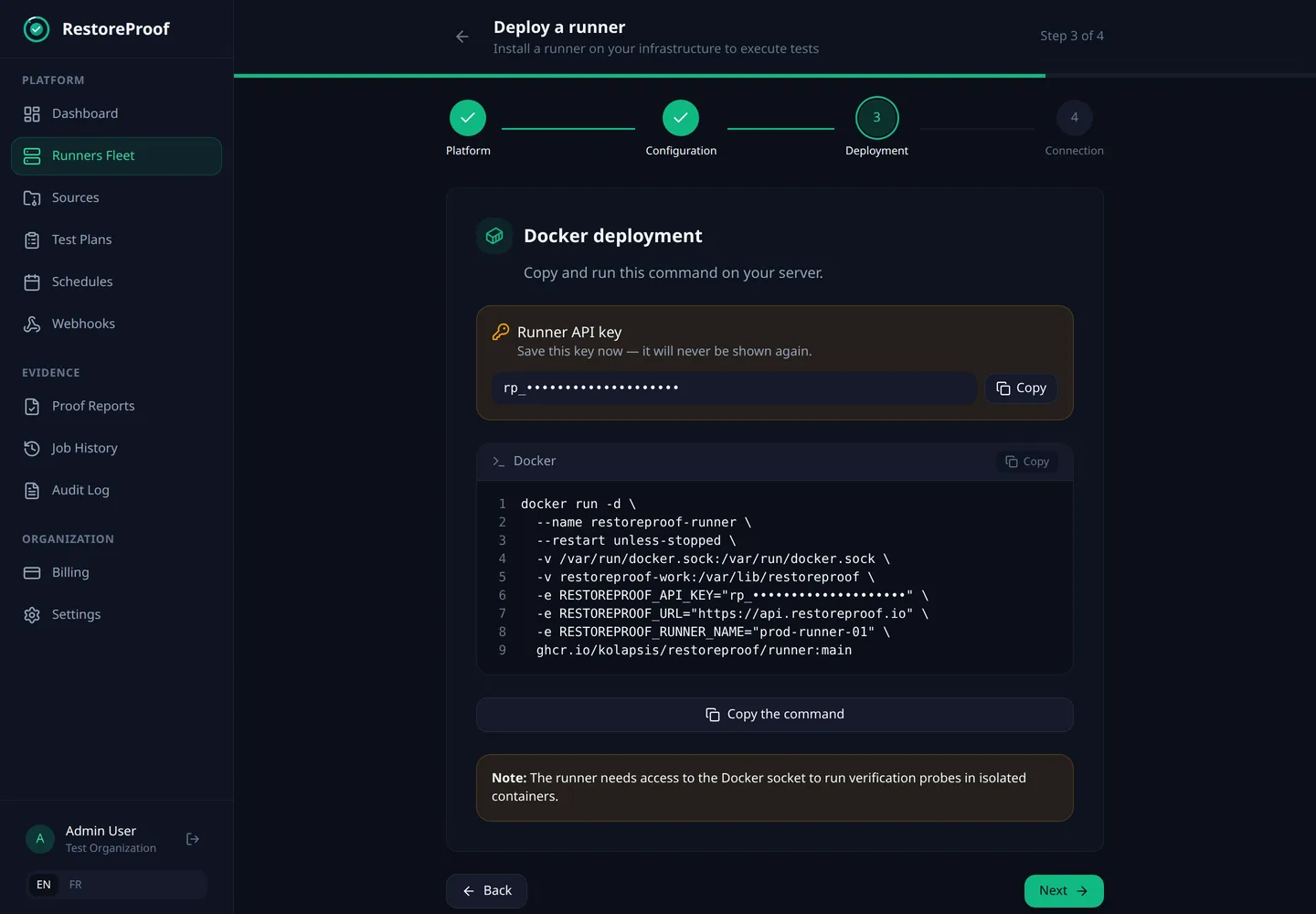
The app writes the docker run command for you, API key included.
NIS2 and ISO 27001 expect you to test your restores, and to be able to show it. Every RestoreProof run leaves a signed report that says what was restored, which checks ran, what they measured and when.
The runner does all the work on your side. RestoreProof only receives the verdict: status, measurements and signature. No backup data, no database content, no password.
Your infrastructure
Your backup storage
S3 or compatible, local or NFS share, HTTP
Runner
Docker or Kubernetes, signs each report
Throwaway sandbox
Restore and probes, destroyed after the run
Stays with you: backups, database contents, secrets
RestoreProof
Hosted in the EU
The runner opens the connection itself. Nothing on your network is exposed.
Environment variables or mounted files. We store the reference, never the value.
Each sandbox is destroyed at the end of the run. No data persists between two runs.
Tests start on their own, alerts arrive when something breaks, and one screen tells you where you stand.
Restic, Borg, Veeam, Duplicati, rclone or your own script: paste the snippet after your backup command and the test runs as soon as the backup is written.
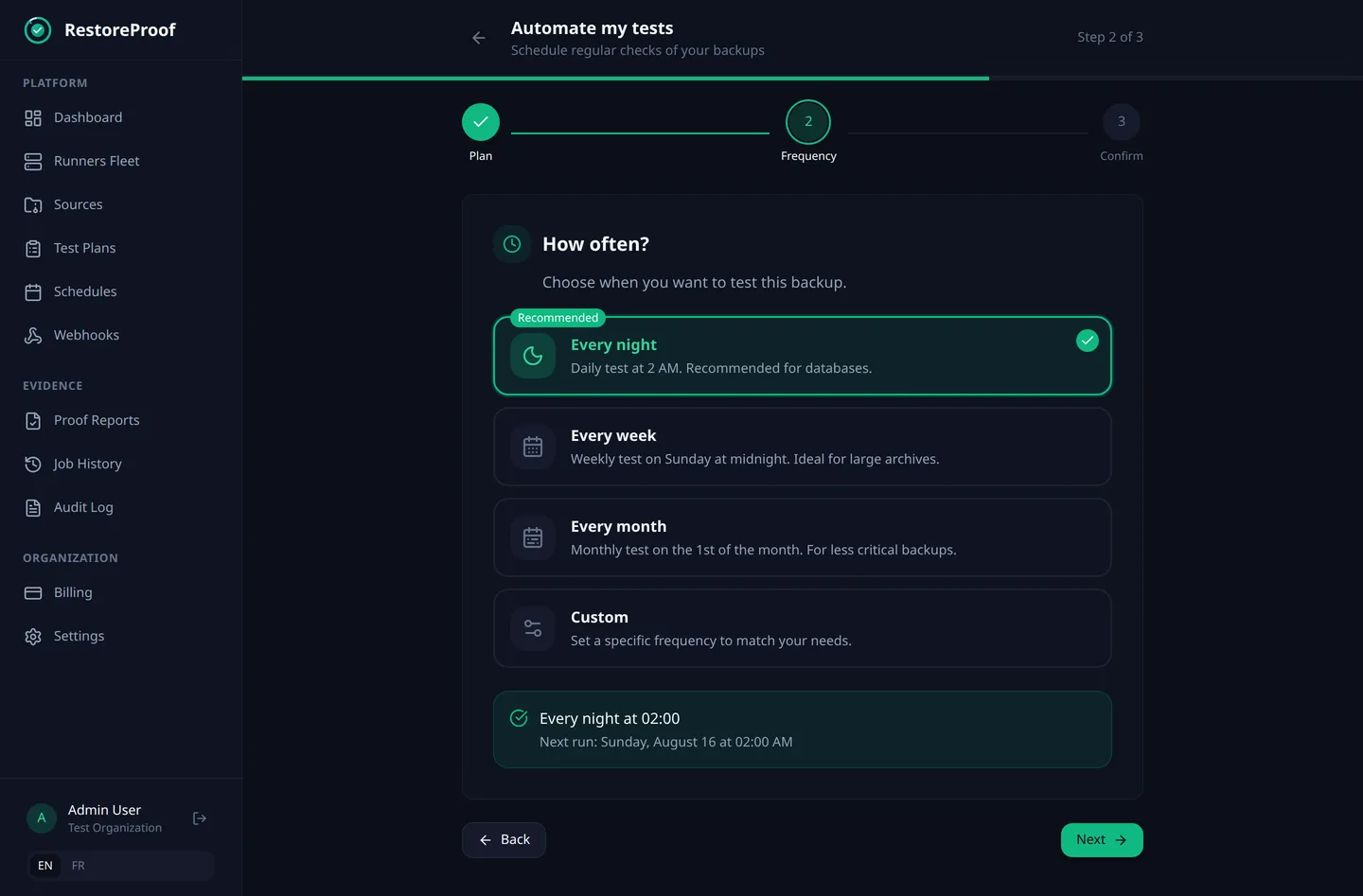
Every night, every week, every month or your own cron. The app shows the next run before you confirm.
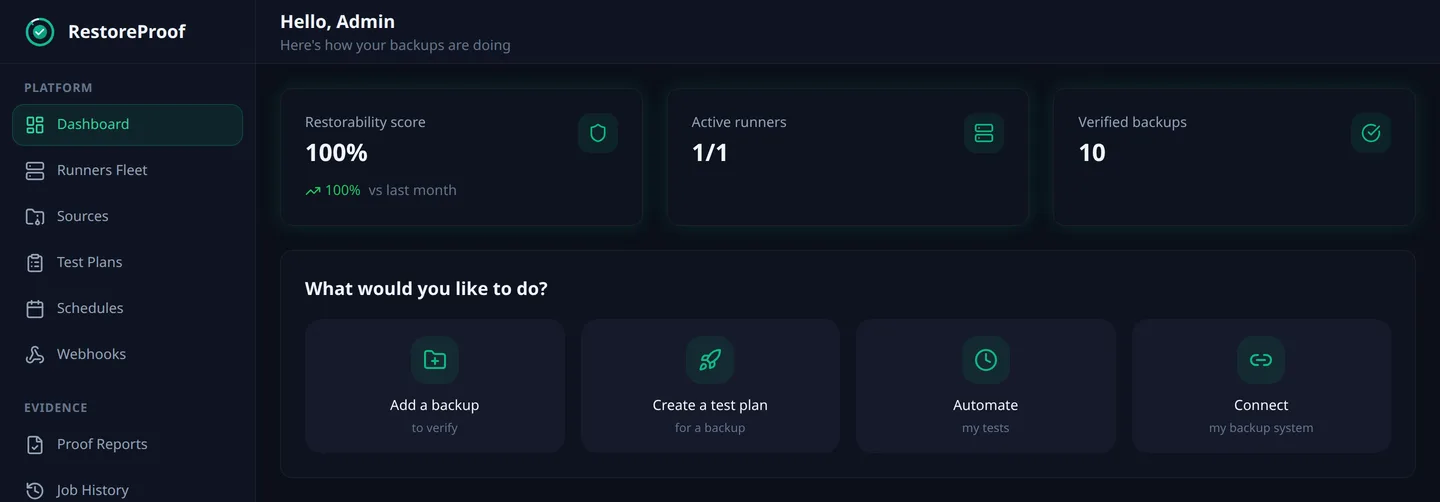
The restorability score, your runners and your latest results, side by side.
Set a maximum age. If the newest backup is older, the test fails, even when the old one still restores.
Every plan, the free one included, gets all of them.
E-mail and signed webhooks on every plan. Discord and Telegram from Starter, Slack, Microsoft Teams and Matrix on Pro.
Install a runner per site, environment or customer, label them, and choose which one runs each test. An audit log and a REST API come with every plan.
A backup runs, RestoreProof restores it in a sandbox on the customer's side, and the signed report arrives. Silent video, on-screen text in French.
About €10 excl. VAT per proven workload per month on annual billing — your data never leaves your infrastructure.
Prices exclude VAT. The tax applicable to your country is added at checkout.
Perfect for trying out RestoreProof
Free, with no time limit
For growing teams with multiple environments
billed 588 € excl. VAT per year
For organizations with advanced compliance needs
billed 2,988 € excl. VAT per year
For MSPs and enterprises with compliance requirements
Every account starts on the Free plan, no card needed. Move to a paid plan from the app whenever you need more, and cancel at any time.
Another question? Write to us at hello@restoreproof.io, a person answers.
No. RestoreProof doesn't take backups: it tests the ones you already make, with Restic, Borg, Veeam, Duplicati, rclone, pg_dump or any tool that writes to S3, a local or NFS share or an HTTP URL.
Here is what we are working on. We announce no date, and none of it is sold in today's plans.
Install the runner without a Docker image, on a plain Linux machine or as a systemd service.
Read backups straight from GCS and Azure Blob Storage, the way the runner already reads S3, a local or NFS share and an HTTP URL.
Restore and verify a SQL Server backup, read network shares, and prove the freshness and completeness of the exports business applications produce.
Prove a backed-up VM image is usable without booting it: full extraction, healthy filesystems, a coherent system, and the databases it holds brought up in a sandbox.
Create a free account, install the runner with the command the app gives you, and your first signed report comes with the first run.